

AI WordPress builders can help produce an initial site structure, draft copy, visual sections, and some supported design changes. Their capabilities vary by product, plan, and integration. Treat the result as a starting implementation that still needs factual review, functional testing, accessibility checks, and a clear maintenance plan.
This is a capability and launch-review guide, not a hands-on ranking of products. It explains what to ask a builder to do, how to verify the output, and where the site owner remains responsible. It avoids assuming that every AI builder supports the same features or produces the same kind of WordPress website.
Understand which kind of AI tool you are using
The label can describe several different products: a host’s guided setup tool, a page builder’s AI feature, a WordPress plugin, or an agent that edits a website through supported integrations. Some create ordinary blocks, while others rely on proprietary widgets or services.
WordPress.com documents its own AI website-building workflow. That service should not be confused with a capability automatically included in every self-hosted WordPress installation. Check the particular product’s current requirements and terms.
Before committing, ask what the tool creates, where the site is hosted, what you can edit manually, and which components must remain active. An attractive generated preview does not answer those ownership and maintenance questions.
Where AI assistance can be useful
| Task | Potential benefit | Required review |
|---|---|---|
| Initial page outline | Faster starting structure | Does it match real visitor needs? |
| Draft copy | A first version to revise | Are claims accurate and specific? |
| Visual sections | Quicker layout exploration | Are they responsive and maintainable? |
| Images | Illustrative starting assets | Rights, accuracy, context, and alt text |
| Supported edits | Less manual repetition | Correct scope and no regressions |
Give the builder a useful brief
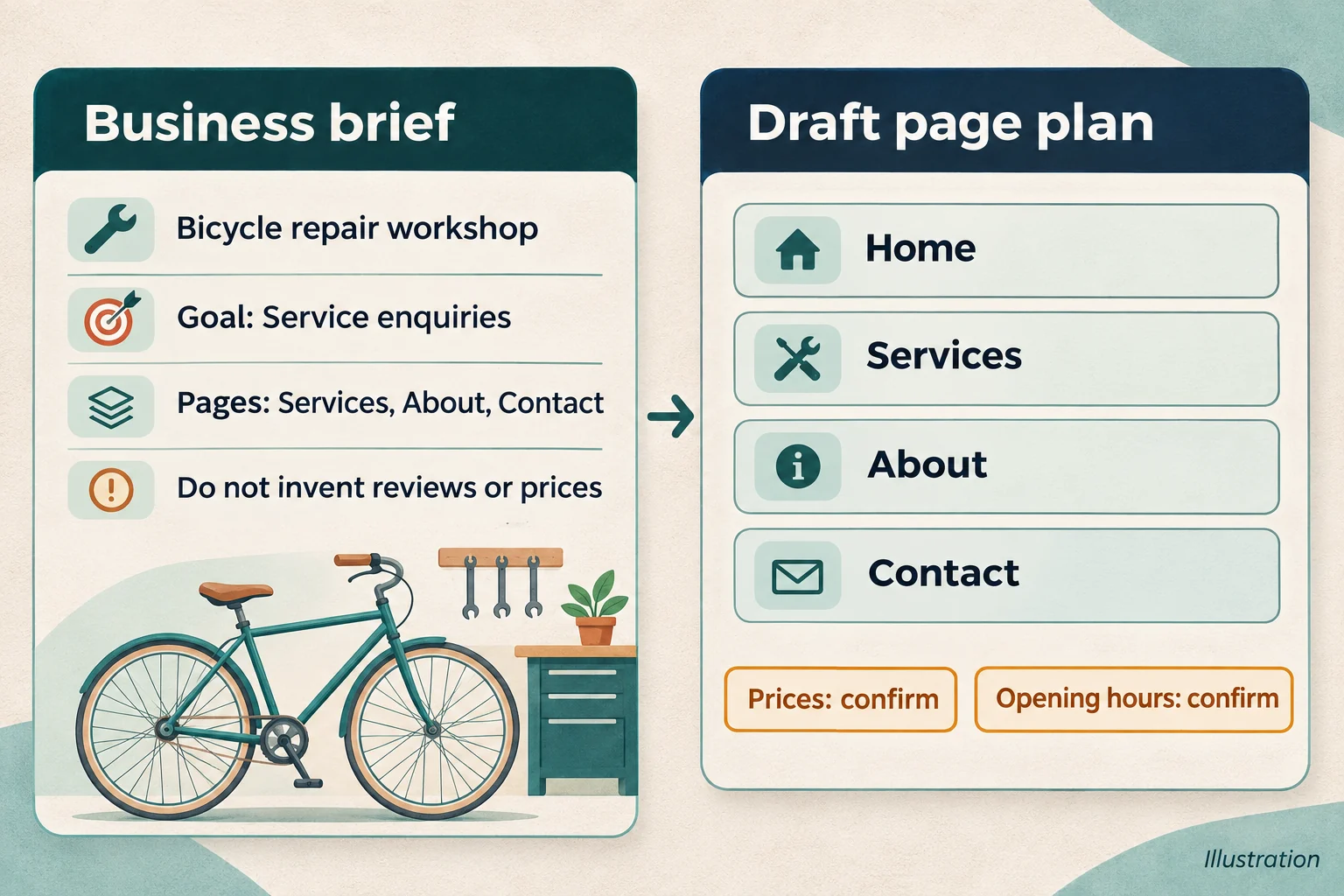
Supply facts before asking for design. State the business, audience, service area, offer, main action, required pages, brand preferences, and features that must work. Identify details that must not be invented, such as prices, qualifications, customer quotes, and performance claims.
A useful fictional brief might say: “Create a draft website for a local bicycle repair workshop. Include services, opening hours, an about page, and an enquiry page. Use placeholders for unconfirmed prices and do not invent customer reviews.”
Break large requests into reviewable steps. Approve the page structure, then the content, then the visual treatment, and finally the interactions. A long unattended generation can spread the same incorrect assumption across many pages.
Review every factual claim
Read the generated copy against business records. Check names, addresses, opening hours, service scope, prices, qualifications, warranties, and contact details. Replace generic promises with accurate explanations of what the business actually does.
Remove invented testimonials, logos, awards, client names, and statistics. If a claim needs evidence, obtain it or remove the claim. Do not treat plausible wording as verification.
Check policy and process pages carefully. Generated privacy, refund, shipping, or terms language may not describe the real operation. The website should reflect decisions the business has actually made, with appropriate review where needed.
Inspect the structure and manual editing path
Open the generated content in its normal editor. Identify whether it uses core blocks, a builder’s widgets, custom code, or another system. Try changing a paragraph, replacing an image, and adding a section without using the AI prompt interface.
Then test a shared change, such as a header link or button style. Confirm you understand whether the change affects one page or the whole website. Keep notes on templates, patterns, and any proprietary dependencies.
A useful build should remain maintainable after the first generation. If ordinary edits require repeated prompting with unpredictable scope, include that cost in your evaluation.
Test functionality end to end
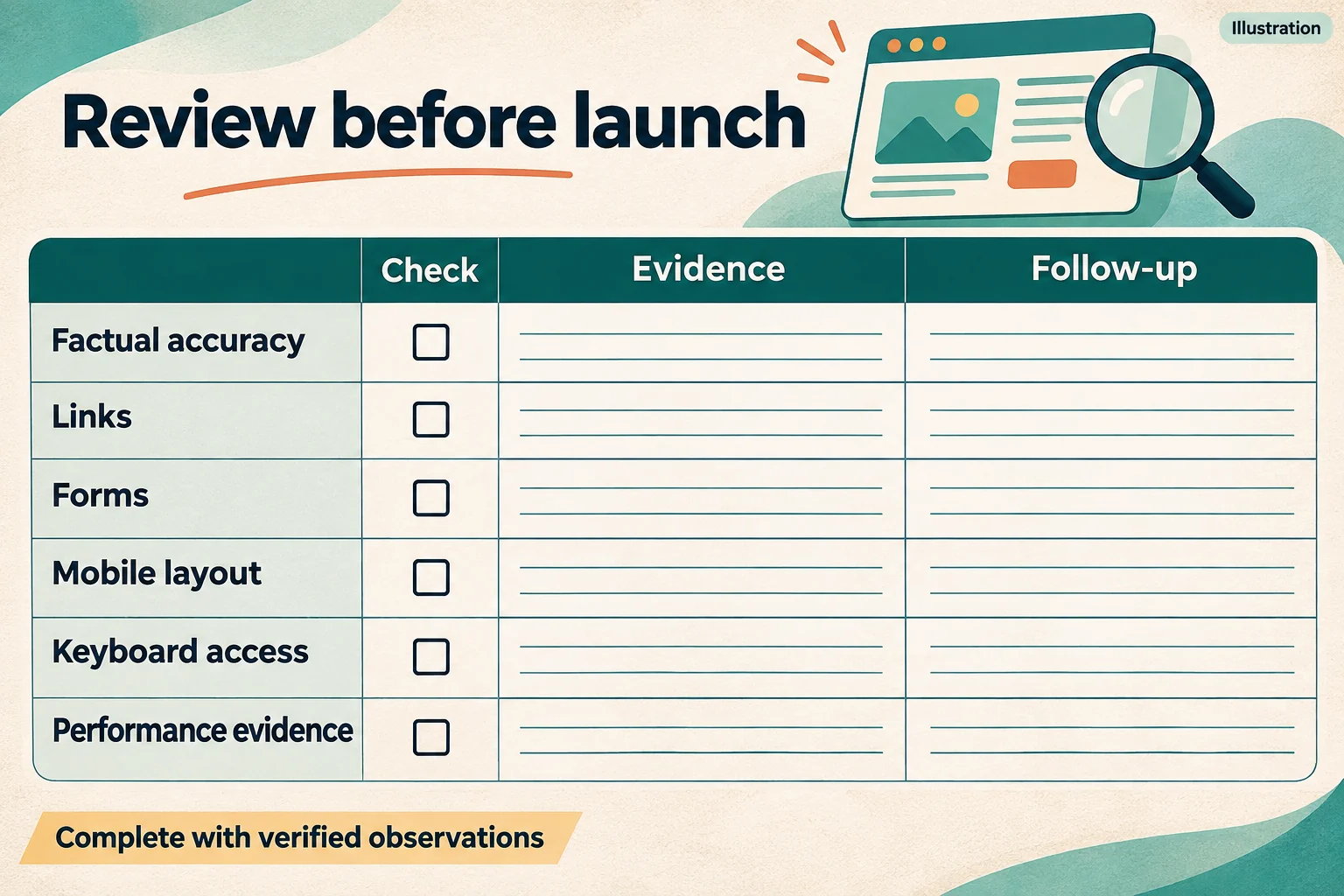
Click every important link and follow the main visitor journey. Submit forms and confirm delivery. If the site uses booking, membership, or commerce features, test their actual supported implementation rather than a visually convincing placeholder.
For a store, verify product data, variation choices, cart contents, shipping, tax configuration, and sandbox payment outcomes. A generated “Buy now” button does not establish that a complete checkout works.
Test errors too: missing form fields, invalid values, unavailable products, and empty search results. A good success screenshot can hide the states that create the most confusion for visitors.
Review images and visual claims
Determine the source and permitted use of every image. Check the terms of the particular image service or generation tool. Keep a record of source pages and licenses for stock assets where appropriate.
Use real imagery when it represents actual products, premises, staff, or project results. An illustrative generated workshop should not be presented as a photograph of your own business. Avoid visual claims the business cannot substantiate.
Write image alternatives according to their purpose and inspect crops on phones. Generated filenames and automatic descriptions may not communicate what the image contributes to the page.
Check accessibility and performance
Use keyboard navigation, inspect focus, increase zoom, and test forms and mobile menus. Review headings, link labels, contrast, and image alternatives. Do not assume a generated layout is accessible because it uses a familiar theme.
Measure representative pages with their actual media and integrations. Look for oversized images, unnecessary scripts, shifting layouts, and slow interactions. Keep performance reports tied to real test conditions rather than marketing claims.
Set SEO content through editorial review
Give each important page a distinct purpose, accurate title, useful description, and coherent internal links. Make the visible content answer the question implied by the page’s title. Remove repetitive sections generated only to increase length.
Google’s guidance on generative AI content emphasizes adding value and following search policies. AI assistance does not create an exemption from accuracy or a guarantee of rankings.
Do not generate many near-identical location or service pages without distinct, useful information. Review whether each page deserves to exist for a reader, then improve its content with verified details and practical experience.
Understand ownership, export, and ongoing cost
Ask whether you can move the website, export content, retain media, and continue editing if a subscription ends. Verify what depends on the host, builder, AI service, commercial plugin, or external API.
List recurring costs and usage limits. Pricing and included features change, so confirm them directly at the time of purchase. Also assign responsibility for updates, backups, renewals, and future content changes.
Test a small export or migration rehearsal where feasible. Reading an ownership statement is useful; understanding what happens to a representative page in another supported environment is stronger practical evidence.
Use a release acceptance checklist
- All business facts and claims are verified.
- Placeholder and invented evidence are removed.
- Manual editing and shared-change scope are understood.
- Links, forms, and critical transactions are tested.
- Images have appropriate rights and truthful context.
- Mobile, keyboard, zoom, and performance checks are complete.
- Metadata, internal links, and indexability are reviewed.
- Ownership, recurring cost, backups, and maintenance are assigned.
For the broader platform decision, read our WordPress versus website builders guide. Evaluate ownership and maintenance before committing to a particular AI-assisted workflow.
Frequently asked questions
Can an AI builder produce a finished website in one prompt?
It may produce a visually complete draft, but the required review depends on the site’s features and business consequences. Verify the result before publishing.
Will AI-generated pages rank automatically?
No. Search performance depends on usefulness, reliability, competition, technical delivery, and other factors. Generation speed does not establish content quality.
Should I use AI or build manually?
Test a representative task. Use assistance where it saves useful work while leaving you with a clear, maintainable result. Budget for review either way.
AI can shorten the route to a first draft. A launch-ready website still needs verified information, working interactions, and an owner who understands how to maintain it.
Leave a Reply